
Cloud application integration is the process of connecting separate software systems — both cloud-based and on-premises — so they can share data and automate workflows in real time.
Here is a quick overview of the main cloud connectivity methods:
| Method | What It Does | Best For |
|---|---|---|
| iPaaS | Cloud platform that connects apps without custom code | Multi-app automation at scale |
| API Management | Controls how apps communicate via secure endpoints | Developer-driven integrations |
| Event-Driven Integration | Triggers actions based on real-time events | Instant, reactive workflows |
| B2B/EDI Integration | Connects external partners and trading systems | Supply chain, partner portals |
| Managed File Transfer | Automates secure file movement between systems | Compliance-heavy industries |
Most business software is not designed to talk to other software. Your CRM does not automatically update your ERP. Your e-commerce platform does not instantly notify your inventory system. And your support tools rarely sync with your analytics dashboards — not without help.
That gap costs time, money, and accuracy.
In 2026, the average business runs dozens of SaaS applications. Without integration, those apps create data silos that slow down decisions and frustrate teams. What once took days of manual work can now be automated in real time — but only if your systems are properly connected.
This guide is written for business owners and IT managers who want a clear, practical understanding of how cloud integration works, which tools power it, and how to get started without overcomplicating things.
I’m Ryan Miller, founder of Sundance Networks and an IT consultant with over 17 years of experience in information systems and more than a decade specializing in security and infrastructure — including helping organizations design and implement cloud application integration strategies that actually hold up in the real world. In the sections ahead, I’ll walk you through everything you need to know to connect your cloud apps with confidence.
Understanding Cloud Application Integration in 2026
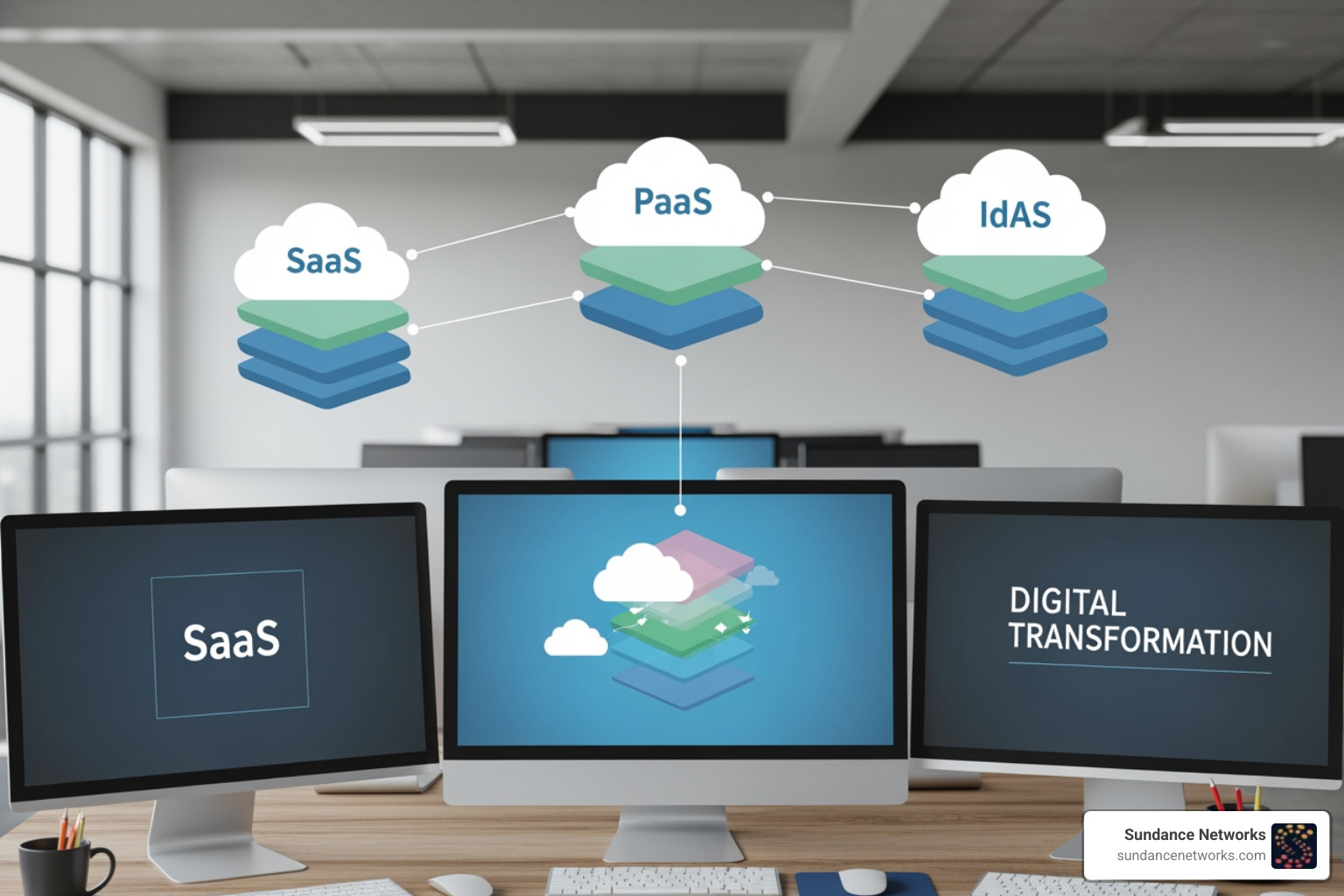
Cloud application integration is the glue that binds these disparate services. It ensures that when a customer makes a purchase in your SaaS storefront, the data flows seamlessly into your PaaS-hosted database and triggers a shipping label on your IaaS-managed server. Without this connectivity, you’re essentially running several small businesses that don’t talk to each other.
Cloud Application Integration vs. Traditional Data Integration
It is common to confuse “application integration” with “data integration,” but they serve very different masters.
Traditional data integration is typically about ETL (Extract, Transform, Load). It’s a batch-driven process where you take large volumes of data from one database, clean it up, and dump it into another for analysis. Think of it like moving a mountain of paperwork at the end of every week.
In contrast, cloud application integration is real-time and transactional. It focuses on process orchestration. When an event happens in Application A, Application B reacts instantly. It’s the difference between reading a weekly summary of sales and seeing every sale pop up on your screen the second the credit card is swiped. This real-time synchronization is a core component of Custom IT Consulting & System Integration, as it allows for immediate business responsiveness.
The Evolution of iPaaS and Middleware
In the old days, connecting two programs required “middleware”—expensive, heavy software that only high-level developers could touch. Today, we have iPaaS (Integration Platform as a Service).
Modern iPaaS solutions utilize modular, microservices-based designs. They offer low-code visual designers where you can literally drag an icon representing “Salesforce” and drop a line to “QuickBooks.” These platforms handle the messy “plumbing”—like API management and protocol translation—so you can focus on the business logic. Instead of writing thousands of lines of code, we now use 6-step wizards to connect cloud apps to external SOAP or REST web services.
The Benefits of a Connected Cloud Ecosystem
When we talk to business owners in Reading or Santa Fe, the primary concern is usually growth. A connected cloud ecosystem is a massive catalyst for that growth because it eliminates “data silos”—those dark corners of your business where information goes to die because it isn’t shared with the rest of the team.
By implementing a robust integration strategy, you gain a 360-degree view of your operations. You aren’t just looking at “sales” or “support”; you’re looking at the entire customer journey in one unified stream. This level of visibility is exactly How Automation Transforms Managed Services for Small and Medium Businesses, turning IT from a cost center into a competitive engine.
Streamlining Operations and Reducing IT Complexity
Complexity is the enemy of efficiency. When your systems are disconnected, your employees become human “copy-paste” machines, manually moving data from one window to another. This is where errors thrive.
Workflow automation through cloud application integration reduces this manual burden. It provides:
- Cost Efficiency: You stop paying for the “labor tax” of manual data entry.
- Scalability: Automated processes can handle 10 transactions or 10,000 without needing more staff.
- Error Reduction: Computers don’t get tired or mistype phone numbers.
For those just starting, we often recommend looking at The First Five Processes Every Small Business Should Automate to see immediate ROI.
Enhancing Real-Time Business Intelligence
In 2026, waiting for a “monthly report” is like reading last year’s news. Cloud application integration enables low-latency, event-driven architectures. This means your business intelligence is always “live.” If a specific product starts trending on social media, your inventory system can automatically adjust, and your marketing tool can boost ad spend for that item—all within seconds. This real-time decision-making capability provides a significant competitive advantage in fast-moving markets like Albuquerque or Rio Rancho.
Core Technologies: iPaaS, APIs, and AI-Driven Automation
The “how” of integration has changed dramatically. We no longer rely on brittle, custom-coded scripts. Instead, we use a combination of APIs (Application Programming Interfaces) and sophisticated iPaaS platforms. Whether you are using SOAP web services for legacy systems or modern RESTful APIs for new SaaS tools, the goal is the same: secure, reliable communication. You can find detailed technical specifications on these methods in the Application Integration documentation | Google Cloud Documentation.
How Modern Platforms Power Cloud Application Integration
Modern platforms use “Connectors” and “Triggers.” A trigger is an event (like a new lead in a CRM), and a connector is the bridge that carries that lead’s data to another app.
Take Azure Integration Services | Microsoft Azure, for example. This platform is trusted by over 65,000 customers worldwide and orchestrates over 205 billion Logic Apps actions every month. It allows businesses to:
- Use 1,400+ out-of-the-box connectors.
- Decouple services using message brokers for better reliability.
- Manage millions of API requests with enterprise-grade security.
The Role of Generative AI in Integration Design
The most exciting development in 2026 is the marriage of Generative AI and integration. Tools like CLAIRE GPT and Gemini Code Assist are changing the game.
Instead of manually mapping fields (e.g., telling the computer that “First_Name” in App A equals “FName” in App B), AI can analyze your enterprise context and suggest the mapping for you. You can even use natural language prompts to build integrations. You might say, “Connect my Shopify store to my Slack and notify the sales team whenever an order over $500 is placed,” and the AI will generate the workflow for you.
Note: Through January 31, 2027, eligible customers can even try CLAIRE GPT at no additional cost to see these benefits firsthand.
Real-World Use Cases and Industry Applications
Integration isn’t just a tech buzzword; it’s a practical solution for daily business problems across every sector.
| Industry | Integration Use Case | Real-World Impact |
|---|---|---|
| Retail | Syncing POS with Inventory and E-commerce | Prevents overselling and automates reordering. |
| Healthcare | Connecting Patient Portals with EHR Systems | Real-time access to records for better treatment. |
| Finance | Integrating Loan Apps with Mobile Banking | Reduces processing time from days to hours. |
| B2B | Automated Partner Onboarding | Speeds up supply chain cycles by 30%. |
Cloud Application Integration for E-commerce and Retail
For a retailer in Allentown or Stroudsburg, cloud application integration is the backbone of the customer experience. Imagine an order flow that moves seamlessly from a payment gateway to order management, through fraud detection, into the shipping system, and finally updating the customer support dashboard. This provides real-time visibility that builds trust with customers and keeps operations lean.
Transforming Healthcare and Financial Services
In highly regulated industries, integration is about more than just speed—it’s about data integrity. In healthcare, integrating patient records with Electronic Health Records (EHR) ensures that every stakeholder has the most up-to-date information for timely treatment. In finance, unifying fragmented systems allows for 360-degree customer views, making it easier to track loan applications or detect suspicious activity across multiple accounts.
Security Best Practices and Risk Mitigation
We cannot talk about connectivity without talking about security. Every bridge you build between applications is a potential path for an unauthorized user if not properly secured. At Sundance Networks, we emphasize a Cloud-First, Not Cloud-Only: A Guide to Keeping the Right Systems On-Site approach to ensure that sensitive data remains protected.
Managing OAuth and Application Access Tokens
Most modern integrations use OAuth, a standard that allows apps to talk to each other without sharing passwords. However, adversaries can exploit this. If a user inadvertently authorizes a malicious app, that app can maintain “persistence”—staying connected even after the user changes their password.
To mitigate this:
- Audit Regularly: Periodically review which apps have access to your environment.
- Restrict User Consent: Don’t allow employees to authorize new integrations without IT approval.
- Use Service Principals: In environments like Microsoft 365, ensure apps access resources via controlled service principals rather than individual user accounts.
Implementing Enterprise-Grade Governance
For businesses in 2026, a CNAPP (Cloud-Native Application Protection Platform) is essential. These platforms combine several security tools into one, providing:
- Zero Trust Architecture: Never trust, always verify every connection.
- Encryption: Ensuring data is unreadable if intercepted during transit.
- Threat Detection: Using AI to spot anomalous behavior, like a CRM suddenly exporting its entire database at 3 AM.
While no system is 100% foolproof, following these practices substantially reduces your risk profile and builds a much more resilient digital infrastructure.
Getting Started: Implementation and Pricing Models
Starting your cloud application integration journey doesn’t have to be a multi-million dollar investment. Most major providers offer entry points for businesses of all sizes.
Evaluating Costs and ROI
Pricing models usually fall into three categories:
- Free Tiers: Many platforms offer a “forever free” tier for small-scale needs (e.g., 400 executions and 20 GiB of data per month).
- Pay-as-you-go: You pay a small fee (often around $0.50 per 1,000 executions) as you scale.
- Subscription: Fixed monthly costs for high-volume enterprise needs.
The ROI is often staggering. Studies on platforms like Azure Integration Services have shown a 295 percent ROI over a three-year period. You save money by reducing manual labor, preventing errors, and accelerating your time-to-market.
Steps to a Successful Integration Strategy
If you’re ready to connect your apps, follow this roadmap:
- Discovery: Catalog every app you use and identify where data gets “stuck.”
- Mapping: Define exactly what data needs to move and what triggers the movement.
- Proof of Concept: Start with one high-value integration (like CRM to Email Marketing).
- Visual Debugging: Use your platform’s monitoring tools to test the flow and catch errors before they affect customers.
- Deployment: Roll out the integration and set up automated alerts for any failures.
For many businesses, partnering with IT Consulting & Support experts is the fastest way to navigate this process without making common (and expensive) mistakes.
Frequently Asked Questions about Cloud Application Integration
What is the difference between application integration and data integration?
Application integration is about real-time process automation (making apps talk to each other as things happen). Data integration is about moving and transforming large batches of data for storage or analysis (like updating a data warehouse overnight).
How does AI improve the cloud application integration process?
AI simplifies the design phase by suggesting data mappings and generating integration flows from natural language. It also improves operations by proactively detecting errors and optimizing how data moves between systems to reduce costs.
What are the most common security risks in cloud integration?
The biggest risks include unauthorized access via stolen OAuth tokens, insecure APIs that leak data, and a lack of visibility into what apps are connected to your network. Implementing Zero Trust and regular auditing are the best ways to lower these risks.
Conclusion
Connecting your cloud applications is no longer a luxury for the tech giants — it is a survival requirement for businesses in Stroudsburg, Albuquerque, and beyond. By breaking down data silos and automating your workflows, you free your team to focus on what they do best: growing your business and serving your community.
At Sundance Networks, we specialize in making these complex connections simple, secure, and scalable. Whether you are looking to automate a single process or overhaul your entire enterprise architecture, we have the experience to guide you through the cloud landscape of 2026.
Ready to turn your disconnected apps into a unified powerhouse?
Schedule a consultation for custom system integration today!